Animate and cut on the same timeline.
Tween is a desktop app for explainer videos and product demos. You build scenes with keyframes, easing and symbols, cut your footage on the timeline under them, and export one MP4 with sound.
01The app
The project that made it.
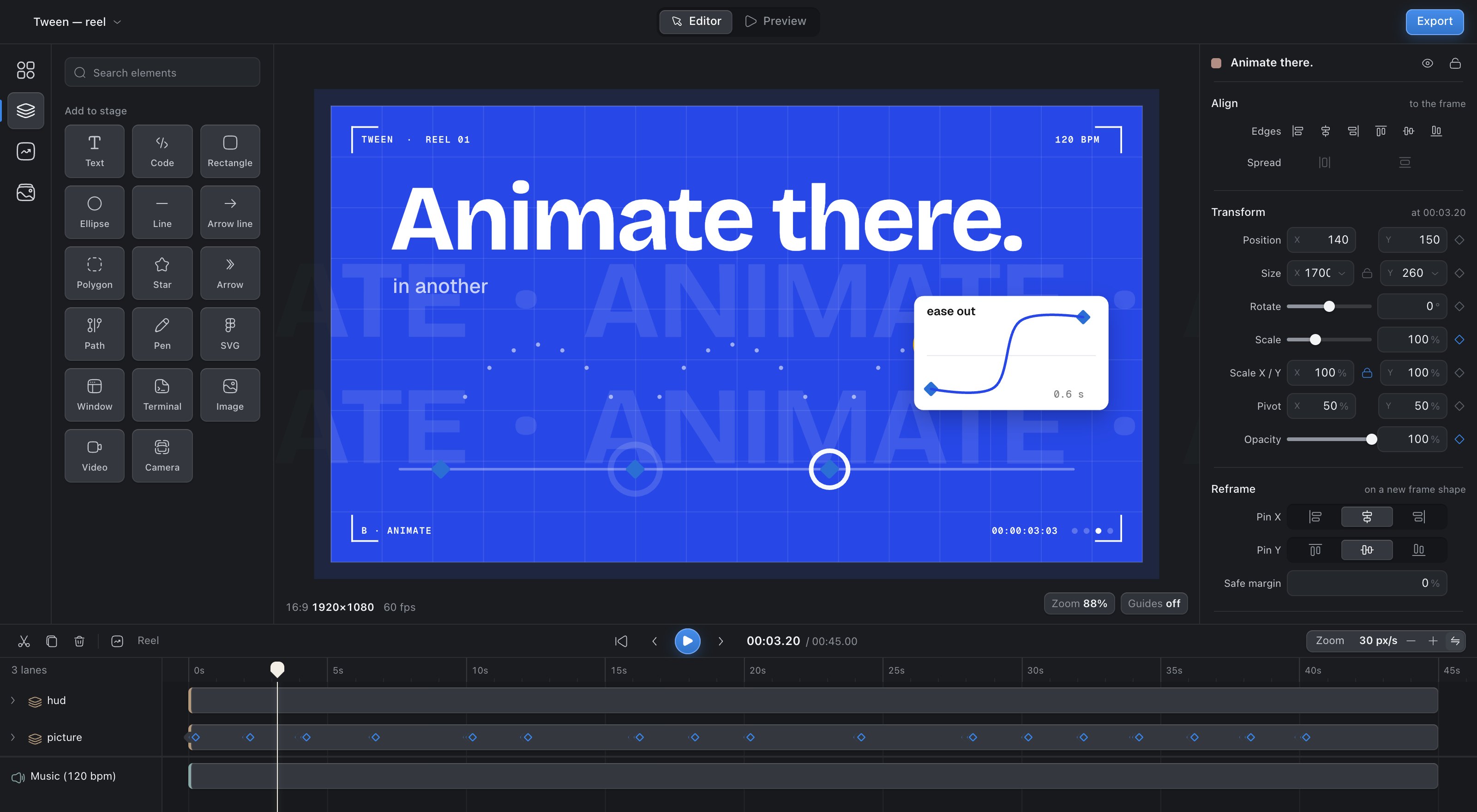
The reel, open in Tween at 3.2 seconds. Point at a part to see what it does.
02Keys
Two keys. Tween draws the frames between.
Set a value at one moment and another later. The frames in between, the tweens, follow the curve you pick for that key. The outlines show them: equal steps in time, spaced by the curve.
Presets do it in one click and leave the keys behind, so a preset is a start, not a black box.
x 1152rotation -0.4°out cubic 0.96
03Symbols
Make it once. Every copy keeps its own time.
A symbol is a piece of animation with its own timeline. Place it as often as you need: each copy can loop, play once, or hold one frame. Edit the original and every copy follows. Try the fill.
Symbol · typing 1.2s, its own timeline
04Cuts
Cut the footage where you animate.
Bring in video and audio and edit them on the same timeline: split at the playhead, trim either edge, ripple delete and the gap closes. Put a dissolve, wipe or push on a cut.
No edit mode, no animate mode. A clip is a layer too, so its position, scale and opacity take keys like anything else. This demo cuts the reel’s own export, here in your browser.
05Where it stands
What works today, and what doesn’t yet.
Animate
- Keys on any number or colour
- Seven curves, picked per key
- Presets that write real keys
- Text reveals; code that animates between steps
- Symbols with their own timeline; groups
- Camera pan and zoom
Draw
- Shapes, polygons and stars
- The pen, and paths you can edit
- SVG imported as editable paths
- Gradients, image fills, shadows, blur, clipping
- Window and terminal blocks
- Bundled fonts, Google Fonts, your Mac’s fonts
Cut and sound
- Split, trim and ripple delete
- Dissolve, wipe and push at a cut
- Audio tracks with volume envelopes
- A video’s own sound, detachable
Make and keep
- MP4 export with sound
- Projects are folders on your disk
- Everything works offline
Being built
- Containersgroups that lay out their children, with a box of their own
- Narration timingthe words in your voice, measured, and layers anchored to them
- Captionsfrom those words, burned in or written out as .srt
- An assistantthat builds a scene from a script and leaves real keys behind
- Your own agentdriving the project through MCP
- Sync and sharingwhen you choose to connect
Get early access
Tween isn’t public yet. Leave your email and we’ll send you a build when there’s room.
We’ll only write to you about early access. Waitlist privacy
Can I use Tween yet?
Not yet. It runs today as a desktop app, and people on the waitlist will get to try it first.
Which computers does it run on?
It’s a desktop app, built on the Mac first. There is no browser version.
What will it cost?
That isn’t decided yet. Joining the waitlist is free and doesn’t commit you to anything.
What happens to my email?
It goes on the early access list and is used only to contact you about Tween. Waitlist privacy